
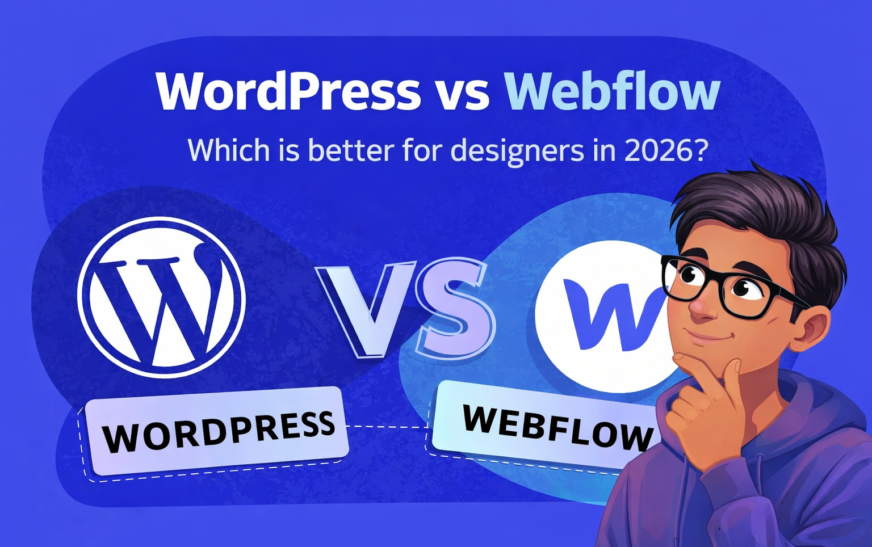
Webflow vs WordPress: Which Is Best for Designers in 2026?
Introduction: Why This Debate Still Matters in 2026
Every few years, the same question resurfaces in design circles, agencies, and client meetings: Webflow or WordPress?
In 2026, the discussion feels less like a rivalry and more like a thoughtful comparison between two mature, capable platforms that simply approach the web from different angles.
Designers today are expected to do far more than arrange pixels. They’re responsible for performance, usability, accessibility, SEO awareness, and often conversion strategy. The platform behind a website quietly shapes all of that work. Choosing the wrong one can slow projects down, frustrate clients, and limit creative ambition. Choosing the right one can feel almost invisible—in the best possible way.
This article explores Webflow and WordPress as they exist now, not as they were years ago. It looks at how each platform supports designers in real-world scenarios and where each one truly shines.
If you’re a designer who cares deeply about layout precision, responsive behavior, and visual consistency, Webflow is worth experiencing firsthand.
You don’t need to commit to anything long-term to see how it works. Exploring the designer interface alone often changes how people think about building websites.
👉 Try Webflow here and see how design-first development feels
The Evolution of Web Design and Designer Expectations
Web design in 2026 is a discipline of systems rather than static pages. Responsive behavior is assumed. Performance is scrutinized. Search engines reward clarity and penalize bloat. Clients expect websites that feel intentional, fast, and easy to maintain.
Designers have also changed. Many are no longer satisfied with handing off files and hoping the final build matches the vision. Ownership of the build process has become part of the craft. This shift explains why platforms like Webflow gained traction and why WordPress continues to reinvent itself.
Understanding this context is essential. Webflow and WordPress are not competing to do the same thing in the same way. They are responding to the same demands from entirely different starting points.
Webflow at a Glance: A Design-First Philosophy
Webflow was built with designers at the center of the experience. Everything about it reflects a belief that visual thinkers should be able to create production-ready websites without sacrificing precision or quality.
Visual Development and Layout Control
Webflow’s editor mirrors the structure of the web itself. Containers, grids, flex layouts, spacing, and typography are handled visually, yet they correspond directly to clean HTML and CSS. This approach rewards designers who understand layout principles and encourages learning them for those who don’t.
Instead of fighting a theme, designers build systems. Components are reusable. Styles are consistent. Changes propagate logically. The result is a sense of control that feels almost architectural.
Native CMS and Structured Content
The Webflow CMS is tightly integrated into the design process. Content types are defined visually, then bound directly to layouts. This makes it ideal for marketing sites, portfolios, landing pages, and brand-driven experiences where structure matters as much as appearance.
For designers who want to move quickly without wrestling with plugins or third-party tools, Webflow’s all-in-one nature is a significant advantage. Exploring the platform firsthand is often the moment where its appeal becomes obvious. A Webflow account offers that clarity almost immediately.
WordPress at a Glance: The Open Web Powerhouse
WordPress approaches the web from a different lineage. It began as a publishing tool and grew into the most widely used content management system in the world. That history still defines its strengths.
Open-Source Flexibility
At its core, WordPress is about ownership and extensibility. Designers and developers can modify almost anything, host it anywhere, and integrate it with virtually any service. This openness is rare and powerful.
It also means that WordPress can be molded to fit almost any project, from a simple blog to a complex enterprise platform.
Themes, Builders, and the Plugin Economy
Designing with WordPress often involves choosing a path: custom themes, page builders, or hybrid approaches. Each comes with trade-offs. Builders accelerate development but can add complexity. Custom themes offer purity but require deeper technical involvement.
The plugin ecosystem is vast. For designers, this can feel like a double-edged sword. Nearly any feature is possible, but restraint becomes a skill. When used thoughtfully, WordPress remains an incredibly versatile design platform.
For those who value this freedom, starting or continuing with WordPress still makes sense. The barrier to entry is low, and the ceiling is remarkably high.
Learning Curve and Day-to-Day Workflow for Designers
Getting Comfortable With Webflow
Webflow asks designers to understand the mechanics of the web. The learning curve appears early. Concepts like positioning, overflow, and responsive behavior are unavoidable.
Once mastered, however, the workflow becomes fluid. Design, content, and deployment feel like a single continuous process. Iteration is fast. Adjustments are predictable. Many designers describe a sense of creative momentum once Webflow “clicks.”
Growing Into WordPress
WordPress often feels approachable at first. Publishing content is straightforward. Initial setup is quick. The complexity emerges later, as customization deepens.
Designers may find themselves navigating plugin conflicts, performance tuning, and layout constraints imposed by themes or builders. With experience, these challenges become manageable, but the workflow remains more fragmented than Webflow’s unified approach.
Design Freedom and Creative Expression
Precision and Consistency in Webflow
Webflow excels at consistency. Design systems are not an afterthought; they are the natural outcome of the platform. Spacing scales, typography hierarchies, and component reuse all encourage disciplined design.
This precision is especially valuable for designers working on brand-sensitive projects where visual coherence is non-negotiable.
Customization Paths in WordPress
WordPress offers freedom through choice. Designers can go minimalist with custom builds or leverage powerful builders for rapid development. The creative ceiling is high, but reaching it often requires more technical navigation.
For experimental or highly functional designs, WordPress remains a compelling option.
Performance, Speed, and Core Web Vitals in 2026
Performance is no longer optional. Search engines and users alike notice sluggish websites.
Webflow delivers optimized hosting, global CDNs, and clean output by default. Performance is largely handled behind the scenes.
WordPress performance depends on hosting quality, theme efficiency, and plugin discipline. With care, WordPress sites can be exceptionally fast. Without it, they can become unwieldy.
Designers who prefer performance to be a given often gravitate toward Webflow. Those who enjoy tuning and optimization may appreciate WordPress’s control.
SEO Capabilities: Ranking in a Competitive Search Landscape
Both platforms can rank exceptionally well.
Webflow offers built-in SEO tools, semantic markup, and fast load times, all of which support modern SEO practices without additional configuration.
WordPress provides unparalleled SEO depth through plugins. Advanced schema, content optimization, and granular control are readily available.
The choice here depends on preference: simplicity and defaults versus extensibility and customization. Designers working closely with SEO specialists often lean toward WordPress, while those managing SEO independently may favor Webflow’s streamlined approach.
AI, Automation, and Modern Tooling
In 2026, AI quietly enhances workflows rather than dominating them.
Webflow integrates automation and intelligent suggestions directly into design and CMS workflows. The focus remains on assisting, not replacing, design judgment.
WordPress benefits from a flourishing ecosystem of AI plugins, offering content assistance, SEO insights, and workflow automation. This abundance provides flexibility but requires discernment.
Client Management, Collaboration, and Handoff
Client experience matters.
Webflow’s editor mode allows clients to update content safely without disrupting design. This clarity reduces support requests and preserves design integrity.
WordPress offers robust user roles and permissions, but client experiences vary depending on setup. With the right configuration, it can be equally effective, though it often requires more upfront planning.
Pricing, Cost of Ownership, and Profitability for Designers
Webflow operates on transparent subscription pricing that includes hosting, security, and maintenance. Costs are predictable, and margins are easy to calculate.
WordPress itself is free, but hosting, premium plugins, themes, and maintenance add up. Costs can be low or substantial depending on ambition.
Designers focused on productized services often appreciate Webflow’s clarity. Those offering bespoke, long-term solutions may prefer WordPress’s flexibility.
Webflow vs WordPress for Different Types of Designers
Webflow tends to resonate with designers who prioritize aesthetics, speed, and control. It suits freelancers and agencies building brand-centric websites.
WordPress appeals to designers working on content-heavy platforms, complex integrations, or projects requiring deep customization.
Many professionals ultimately use both, choosing the right tool for each job.
Long-Term Scalability and Career Relevance
Both platforms are here to stay.
Webflow aligns closely with the no-code and low-code movement, empowering designers to own more of the development process.
WordPress remains a cornerstone of the open web, continually adapting and expanding.
Learning either platform strengthens a designer’s skill set. Learning both broadens it significantly.
Final Verdict: Choosing the Right Platform in 2026
There is no universal winner in the Webflow vs WordPress debate. There is only alignment.
Webflow is ideal for designers who want elegance, speed, and a cohesive workflow. WordPress is unmatched in flexibility, reach, and extensibility.
The best choice is the one that complements how you think, how you work, and the kinds of projects you want to attract. Exploring Webflow or building with WordPress is less about commitment and more about capability. In 2026, designers are fortunate to have two such powerful options at their disposal.